Safety & Care
LED Mask Maintenance Guide
Introduction
An at-home LED face mask is a device you place directly against your skin, often every day. Like any tool you use that closely, it benefits from a simple, consistent care routine. Good maintenance keeps the light-facing surface clean, helps the device feel fresh between sessions, and supports a longer working life for the electronics, cable and battery inside.
This guide walks through everything in plain language: how to wipe the mask after use, how to handle hygiene when more than one person uses it, where and how to store it, and how to look after the USB-C charging system over the months and years ahead. None of this is complicated, and most of it takes less than a minute once it becomes habit.
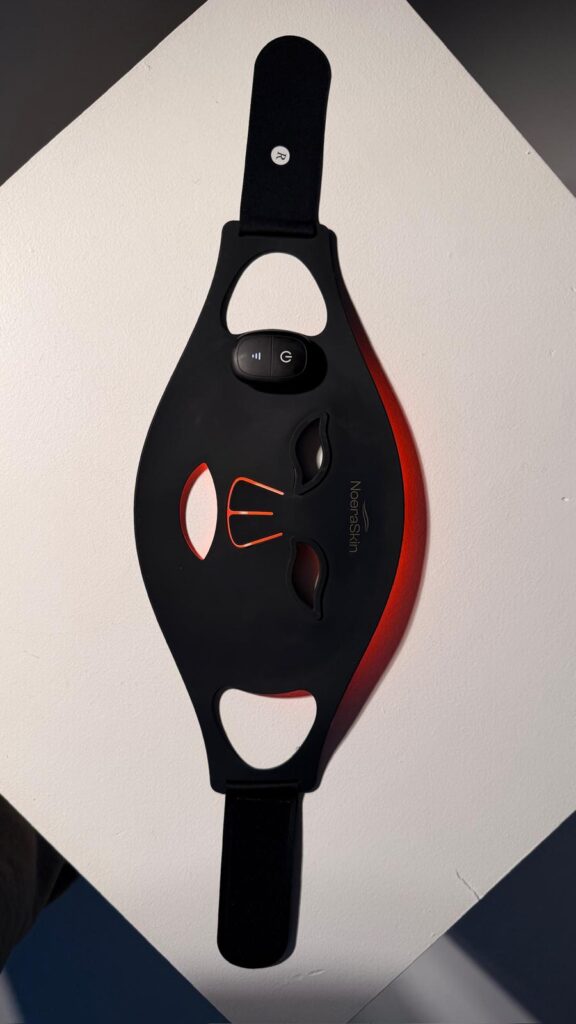
A quick note before we begin. Your single most important reference is always the manufacturer's manual that came with your device. The guidance here is general and educational; if anything below differs from your specific instructions, follow the manual. And because an LED mask is an electronic device, never submerge it in water or any liquid. With that in mind, let's look at how to keep your NoeraSkin LED mask in good condition.
Why Maintenance Matters
It's easy to think of maintenance as something you only do when a device starts misbehaving. With an LED mask, a little ongoing care does more than that. There are three practical reasons it's worth building into your routine.
The first is hygiene. The inner surface of the mask sits against your face, where it meets natural skin oils, sweat, leftover serums or moisturiser, and everyday makeup. Over a week of daily ten-minute sessions, that residue builds up quietly. Wiping it away keeps the surface that touches your skin clean and pleasant to use, the same way you'd clean any item that has regular contact with your face.
The second is light delivery. An LED mask works by sitting close to the skin and emitting light at specific wavelengths — in the case of NoeraSkin, red at 620–630 nm, amber at 580–590 nm, near-infrared at 850 nm, and blue at 460–470 nm. A film of dust, makeup or dried product on the inner surface sits between the LEDs and your skin. Keeping that surface clear simply lets the device do what it was designed to do, without anything getting in the way.
The third is longevity. The cable, the charging port, the battery and the LED panels are all components that respond well to gentle handling and a stable storage environment. Heat, moisture, dust and rough treatment are the usual culprits behind early wear. A few small habits — wiping, careful storage, sensible charging — go a long way toward keeping the device working reliably across its life, and toward making the most of the 12-month warranty against manufacturing defects that comes with it.
None of this requires special products or much time. The rest of this guide breaks it into the moments where it matters: right after a session, between sessions, in storage, and at the charger.
Cleaning After Each Use
The most useful habit is also the simplest: wipe the inner, light-facing surface after every session. This is the part of the mask that touches your skin, so it's where oils and product residue collect first.
Start by switching the device off and unplugging it if it was charging. Let it cool for a moment if it feels even slightly warm. Then use a soft, lint-free cloth — the kind you'd use for glasses or a phone screen works well — that is either dry or very slightly damp. Wipe the inner surface gently, following the contours, and pay attention to the areas that sit over the cheeks, forehead and nose, where contact is closest.
If your manual permits it, an alcohol wipe (or a cloth lightly dampened with a small amount of isopropyl alcohol) can be used to clean the inner surface more thoroughly. This is helpful for cutting through oils. Always check your manual first, because not every surface finish is suited to alcohol, and your manufacturer's instructions take priority over any general advice.
A few things to keep in mind while cleaning:
- Never submerge the mask. It is an electronic device. Do not hold it under a tap, soak it, or run it under running water.
- Don't let liquid pool. A slightly damp cloth is the goal — not a wet one. Avoid moisture near the charging port, seams and any openings.
- Skip harsh cleaners. Abrasive sponges, scouring pads, bleach and strong solvents can damage the surface and the LEDs. A soft cloth is enough.
- Be gentle around the lights. Wipe rather than scrub. There's no need to press hard.
- Let it dry fully. If you used a damp or alcohol wipe, allow the surface to air-dry completely before storing or charging.
Done consistently, this takes well under a minute and keeps both the hygiene and the light path in good shape. If you tend to apply serums or moisturiser before a session, expect a little more residue, and wipe accordingly.
Hygiene Between Sessions
Between your own sessions, the after-use wipe described above usually covers everything you need. The main thing is consistency: a clean surface every time you put the mask on means you're never pressing yesterday's residue back onto your skin.
It helps to think about a few habits that reduce build-up in the first place. Using the mask on clean, dry skin — rather than straight after a heavy layer of product — means less residue transfers to the surface. Tying back hair and removing makeup beforehand keeps the inner surface cleaner for longer. These small steps make the routine wipe quicker and the mask more pleasant to use.
If the mask is shared
LED masks are sometimes used by more than one person in a household. If yours is shared, hygiene deserves a little extra attention, because the surface that touches one person's face will touch another's.
The sensible approach is to wipe the inner surface between users, not just at the end of the day. A soft cloth with a permitted alcohol wipe (per your manual) is well suited to this, since it helps clean the surface more thoroughly between different people. Let the surface dry fully before the next person uses it. As a general courtesy and hygiene measure, it's also wise to avoid sharing the mask while anyone has any active skin irritation, broken skin or infection in the contact area, and to follow any specific guidance in your manual on shared use.
If you'd like more detail on safe and appropriate use — including who should take extra care and when to pause sessions — see the LED Light Therapy Safety Guide.
Storage Done Right
Where and how you store the mask between sessions matters more than people expect. A good storage spot protects the surface from dust, the electronics from moisture and heat, and the whole device from knocks and pressure.
Aim for a storage location that is:
- Dust-free. A drawer, a box, or the case the mask arrived in keeps dust off the inner surface and the LEDs. A surface left out in the open collects far more over time.
- Cool and dry. Keep the mask away from radiators, heating vents, direct sunlight on a windowsill, and the steamy environment of a shower or bath. Heat and moisture are hard on batteries and electronics.
- Stable and protected. Store the mask where it won't be crushed, sat on, or knocked off a shelf. If it's flexible, avoid folding or bending it tightly for long periods, which can stress the panel over time.
A few extra storage habits help. Make sure the mask is clean and fully dry before you put it away — storing it damp invites moisture problems. Coil the USB-C cable loosely rather than wrapping it tightly around the device, since tight, repeated bends are the most common cause of cable wear. And if your device came with a pouch or case, using it is the easiest way to tick all of these boxes at once.
Charging and Battery Care
The NoeraSkin mask is USB-C rechargeable, which makes charging straightforward. A few sensible habits help the battery stay healthy over the long term.
- Charge in a dry place. Never charge the device in a damp area — beside a sink, in a bathroom while the shower runs, or anywhere moisture can reach the port. Make sure the mask is dry before you plug it in, especially after cleaning.
- Use a suitable cable and adapter. Stick to the supplied USB-C cable, or a quality replacement that meets your manual's specification. Avoid damaged cables and unbranded adapters of unknown quality.
- Avoid the full-drain habit. Modern rechargeable batteries generally prefer not to be run all the way to empty and left there repeatedly. Topping up before the battery is completely flat, rather than always draining it to zero, is a gentle way to look after it. There's no need to obsess over exact percentages — just avoid making a habit of deep, full discharges.
- Don't leave it on the charger indefinitely if your manual advises against it. Unplug once charged, and check your manual for any specific charging guidance, which always takes priority.
- Mind the temperature. Charging in very hot or very cold conditions isn't ideal for batteries. Room temperature is best.
If you notice the device holding charge for a noticeably shorter time than it used to, that's normal battery behaviour over a long period of use, but a sudden or dramatic drop is worth investigating — more on that below.
Inspecting Cables and LEDs
A quick visual check now and then catches small issues before they grow. There's no need to do this every day; a glance during your routine wipe, and a closer look every few weeks, is plenty.
When you check the cable and connector, look for fraying, kinks, exposed wire, or a connector that feels loose or wobbly in the port. A cable showing wear should be replaced with a suitable one rather than taped up and kept in use. Pay attention to the point where the cable meets the connector, since that's where bending stress concentrates.
When you check the charging port, make sure it's free of dust, lint or debris. If something is lodged in there, gently remove it with the device switched off and unplugged — never poke around with anything metal, and never use liquid in the port.
When you check the LED panel, switch the mask on briefly and look at whether the lights illuminate evenly across the panel. The wavelengths should appear consistent, without obvious dark patches or flickering. Also look for any cracks, loose sections, or damage to the inner surface.
If a check turns up something concerning — a damaged cable, lights that no longer work properly, a cracked surface, or anything unusual with heat or smell — stop using the device and move to the next section.
When to Repair or Replace
Most maintenance is about prevention, but it helps to know when a device needs more than a wipe. Stop using the mask and look into repair, replacement or your warranty if you notice any of the following:
- The LEDs no longer light evenly, with dark patches, flickering, or sections that have stopped working.
- The cable or connector is damaged, frayed, or no longer charges reliably even after you've tried a known-good cable.
- The battery behaviour changes suddenly — a dramatic drop in how long a charge lasts, or the device failing to hold a charge at all.
- There is physical damage — cracks in the surface or panel, exposed components, or anything that compromises the device's integrity.
- Anything feels unsafe — unusual heat, a burning smell, or any behaviour the manual flags as a fault.
For manufacturing defects, your NoeraSkin mask comes with a 12-month warranty. If a fault appears to be a manufacturing issue rather than ordinary wear or accidental damage, contact the seller or manufacturer through the proper support channel rather than attempting to open or repair the device yourself. Opening an electronic device on your own can create a safety risk and may affect your warranty.
For everyday wear items like the charging cable, a suitable replacement is usually all that's needed. For the device itself, lean on the warranty and official support first. Keeping your proof of purchase somewhere safe makes any warranty claim far simpler.
If you'd like to understand how to avoid the habits that shorten a device's life or affect your sessions, the companion guide on Common LED Therapy Mistakes is a useful read.
Frequently Asked Questions
How often should I clean my LED mask?
Wipe the inner, light-facing surface after every session — it only takes a moment and prevents oils and product residue from building up. If the mask is shared between people, wipe it between each user rather than only at the end of the day. Always follow the cleaning instructions in your manufacturer's manual.
Can I use water or alcohol to clean it?
A soft, lint-free cloth that is dry or very slightly damp is suitable for everyday cleaning. If your manual permits it, an alcohol wipe can clean the inner surface more thoroughly and help cut through oils. Never submerge the device, never let liquid pool near the port or seams, and let the surface dry fully before storing or charging.
How should I store my LED mask?
Keep it in a dust-free, cool and dry spot — a drawer, box or the case it came with is ideal. Avoid heat sources, direct sunlight and damp environments like bathrooms. Make sure the mask is clean and dry before you put it away, and coil the cable loosely rather than wrapping it tightly.
How do I look after the battery?
Charge the USB-C device in a dry place, use a suitable cable, and avoid repeatedly draining the battery completely to empty. Charge at room temperature rather than in very hot or cold conditions, and follow any specific charging guidance in your manual. A gradual decline in battery life over long-term use is normal; a sudden drop is worth investigating.
What do I do if a light stops working?
If the LEDs no longer illuminate evenly, flicker, or have dark patches, stop using the device. For a NoeraSkin mask, manufacturing defects are covered by a 12-month warranty, so contact the seller or manufacturer through the proper support channel rather than opening the device yourself.
Is it safe to share my LED mask with family?
Sharing is possible, but it calls for extra hygiene. Wipe the inner surface between users — an alcohol wipe is well suited where your manual permits — and let it dry fully before the next person uses it. As a sensible precaution, avoid sharing while anyone has active skin irritation, broken skin or an infection in the contact area.
Summary
Maintaining an LED mask comes down to a handful of small, repeatable habits rather than anything technical. Wipe the inner, light-facing surface after every session with a soft cloth — dry, slightly damp, or an alcohol wipe if your manual allows — and never submerge the device. Pay closer attention to hygiene when the mask is shared, cleaning it between users.
Store the mask somewhere dust-free, cool and dry, away from heat and moisture, and coil the cable loosely to prevent wear. Charge the USB-C battery in a dry place, avoid the habit of running it fully flat, and use a suitable cable and adapter. A quick visual check of the cable, port and LED panel now and then catches small problems early.
When something stops working — uneven lights, a damaged cable, a sudden battery drop, physical damage or anything that feels unsafe — stop using the device. For manufacturing defects, lean on the 12-month warranty and official support rather than opening the device yourself. Above all, treat your manufacturer's manual as the final word, and a little routine care will keep your NoeraSkin mask clean, hygienic and reliable for the long term.